

About Cedric.

Cedric is an AI teammate, an AI employee, for Slack, Microsoft Teams, Discord and Telegram. He works across your tools and asks before he sends or changes anything.

What Cedric does

Ask Cedric for the tasks you would otherwise wire up with connectors and skills. Click Connect to link the tools you need, from 3,200+ apps.

He remembers your preferences and corrections in one company brain, and when he joins your calls, he adds what was decided.

With your approval, he does the work in those tools.

How Cedric turns a request into finished work

  1. Step 1Your team asks

    In chat, or out loud in a meeting.

    @Cedric
  2. Step 2He understands

    From what the team already taught him.

    Shared memory
  3. Step 3He gathers context

    From the tools you connected.

    Your tools
  4. Step 4He prepares the work

    Drafts, updates or a list. Nothing is sent yet.

    Needs your yes
  5. Step 5It gets done

    Once you approve, he does it.

    ✓ Finished work

Cedric automates work for these teams

Sales and business development

Cedric books lead calls, takes the notes and keeps the CRM current. He drafts quotes, contracts, invoices and follow-ups for your approval, then helps run onboarding and renewals.

How Deskimo keeps its lead tracker current →

Marketing

Cedric plans and launches campaigns from your customer data, your call notes and the signals he picks up.

  • Segments customers by need, behavior, stage and odds of buying.
  • Writes and schedules posts per audience, and publishes to LinkedIn on your yes.
  • Turns customer feedback and use cases into content people want.
  • Joins CRM results to campaign data to show what converts.
  • Rebuilds a winning campaign for a new segment.
Cedric as a marketing agent →

SEO

Connect Google Search Console, Google Analytics and your project tool. Cedric watches for indexing issues, spots pages losing traffic and prepares content updates. He turns technical findings into tickets for developers and drafts the progress report.

Google Analytics →

Developers

Connect GitHub, your issue tracker and team chat. Cedric turns bug reports into tickets with the context attached, summarizes pull requests and flags failing builds. He brings customer feedback and past decisions into the thread.

GitHub →

What makes Cedric different

He connects conversation to execution

A message in the channel becomes a drafted email, a calendar event, a CRM update or a task. You approve, and it goes out.

He turns meetings into action

Cedric joins the call, captures the decisions and shares a recap. Where a note taker stops at the notes, Cedric prepares the follow-up work for your team to review.

Cedric as a meeting assistant →

He remembers how your team works

Cedric keeps one shared memory of what your team tells him, so nobody repeats the same instructions. Recurring reports, research and daily operations all draw on it.

He connects to 3,200+ apps

The apps below have built-in playbooks, and the catalog covers the rest. Connect each tool when a task needs it.

  • Gmail
  • Google Calendar
  • Google Sheets
  • HubSpot
  • Stripe
  • GitHub
  • Linear
  • +3,200 more
All integrations →

How integrations work

The first time Cedric needs a tool, he sends you the link.

  1. You ask"Send the recap to the team."
  2. Cedric sends a link"Connect Gmail to continue."
  3. You allow accessOn Gmail's own permission screen.
  4. ConnectedCedric can now do the task.
Connect once, for the whole team

One person connects a tool and the whole workspace can use it. Or keep a connection to yourself.

How Cedric works

Five steps from sign-up to finished work.

Once you sign up, you create a workspace and invite Cedric where your team talks. You can also use him from the dashboard.

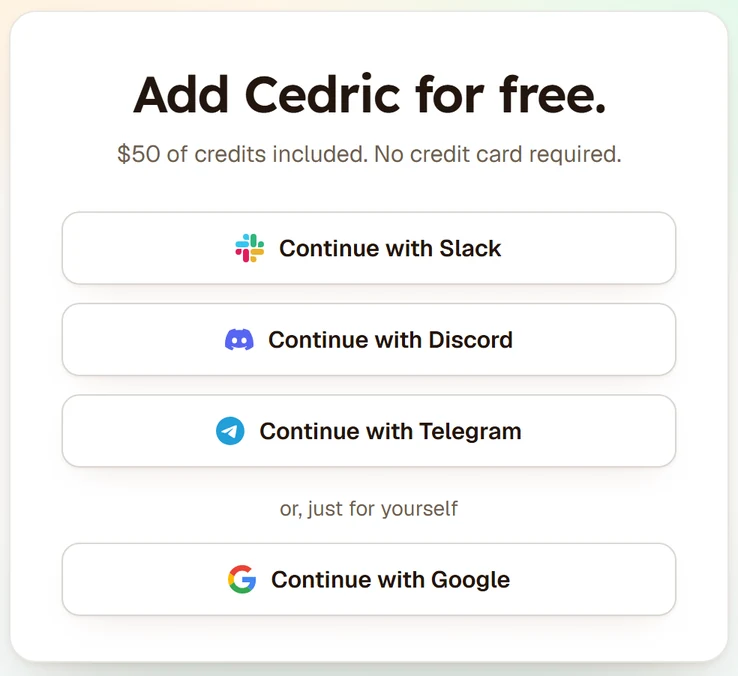
Step 1: Cedric's sign-up card: Continue with Slack, Continue with Discord, Continue with Telegram, or, just for yourself, Continue with Google.

Connections

  • Gmail✓ Connected
  • Calendar✓ Connected
  • StripeConnect
  • GitHubConnect
  • NotionConnect
  • SheetsConnect
Step 2: Cedric's connections: Gmail and Calendar connected, Stripe, GitHub, Notion and Sheets each with a Connect button.
# salesCedric is in this channel

Nadja Meier

@Cedric join my 2pm with Steiner AG

CedricAPP

Reto wants 25 seats and a quote by Friday.

Steiner AG, renewalCall ended · 32 min
Step 3: Slack, #sales: Nadja asks Cedric to join her call; after it, Cedric says what the customer wants.
# salesCedric is in this channel

CedricAPP

Proposal: three updates from the call.

Deal: Qualified → ProposalRecap email to RetoTask: quote by Fri, Nadja
ApproveReject
Step 4: Slack: a proposal with three updates (HubSpot deal stage, recap email, task), with Approve and Reject.
# salesCedric is in this channel

CedricAPP

Approved by Nadja. All three done.

Steiner AG in Proposal✓ updatedRecap to Reto✓ sentQuote by Friday✓ created
Step 5: Slack: Cedric confirms the deal updated, the recap sent and the task created.

Good first asks

Copy one and send it to Cedric.

  • Catch me up, I was out all week.
  • Prep me for my 2pm.
  • Who is this new lead?
  • Every morning at 8, check my inbox and tell me what needs a reply.
  • What did our competitors do this week?
  • Build my Monday staff meeting deck.

The team behind Cedric

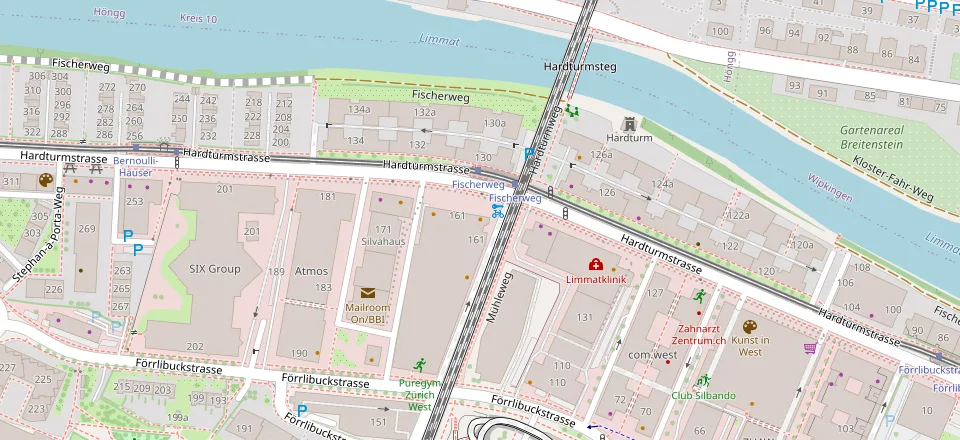
Cedric is built in Zürich by SFF Studio (Swiss Founders Fund).

Westhive Zürich HardturmHardturmstrasse 161, 8005 Zürich, Switzerland

Contact us
© OpenStreetMap

Your AI employee is waiting for you

Get started for free

100K credits ($50) through Slack, Teams, Discord, Telegram or WhatsApp, 50K ($25) with Google. No card needed.