


How to use Cedric.
From the install click to your first week of finished work: what to do, what to say, and what actually happens at every step.
- Install takes about 30 seconds. Cedric joins your workspace like any other member, and your team starts with 100,000 free credits ($50), no card.
- You talk to it in plain language, in the channel where the work already lives. There are no commands to learn.
- Tools connect one at a time, when a task actually needs them. Nothing is connected until you connect it.
- Anything that sends, changes, or spends waits for an approval, right in the channel. Cedric proposes, you decide.
- The dashboard holds the credits, the scheduled work, and the shared memory. Recurring work is one sentence to set up.
From install to the first finished task
Five steps, and the first three usually fit inside five minutes. None of them need IT or a credit card.
- 01
Install Cedric where your team talks
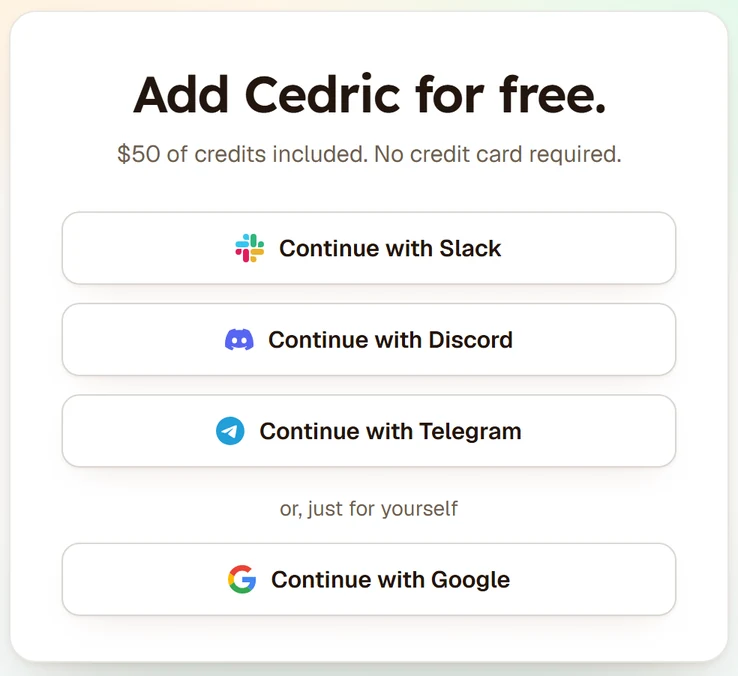
Hit Get started for free and pick your platform: Slack, Telegram, or Discord. The button runs the platform's own add flow, so it looks and behaves like adding any other member. When it finishes, Cedric is in your workspace and your team shares 100,000 free credits, which is $50 of work.
One workspace, one Cedric, one shared memory. If you run several teams, add it to each; they stay completely separate.
- 02
Give it something real
Mention it the way you would a coworker: "summarize this thread", "what shipped this week", "draft a reply to this". Plain language, in the channel where the work already lives. It acknowledges immediately and posts the finished result back in the thread, so the whole channel sees what was asked and what came back.
Do not start with a test question. Start with a task you actually needed done today; that is when the value is obvious.
- 03
Connect a tool when a task needs one
The first time a task needs a tool, your calendar, your repo, your billing data, Cedric asks for the connection. Access is scoped to what the task needs, logged, and revocable from the dashboard at any time. You never fill out an integrations page up front.
The full list of what connects and how access is scoped is in connecting your tools.
- 04
Approve, edit, or hold
Anything that sends, changes, or spends waits for an approval, right in the channel where you asked. Approve it, edit it first, or hold it. Reading, summarizing, and drafting never need a sign-off; acting on the outside world always does.
How the gate decides what needs approval is in how approvals work.
- 05
Open the dashboard
Open it from the workspace switcher in the nav, or at the address Cedric gives you after install. Credits, scheduled work, what needs attention, recommended automations, and the shared memory all live there. It is the one place to see everything Cedric has done and is about to do.
A worked example
The weekly update, off your plate by Friday.
Maya Chen9:14 AM
@Cedric put together our weekly update: what shipped, support volume, anything stuck. Post it here every Friday at 9:00.
CedricAPP9:15 AM
Done. Every Friday at 9:00 I'll draft it from the repo, the support queue, and this channel, and hold it for your approval before it posts.
The loop: five interviewers asked on Monday, the quiet two nudged on Tuesday, and the loop booked the moment the last reply landed.
What to ask in the first week
Start with the reading and writing work, because it needs no connections at all: summarize a long thread, draft a reply, turn a rambling discussion into a decision list, tidy meeting notes into an update. The guide to the writing tasks Cedric nails has a list worth stealing from.
Then hand it a meeting. Invite Cedric to a call and it joins, listens, and delivers notes, decisions, and action items to the channel afterwards. What that looks like end to end is in Cedric in meetings.
By the end of the week, make something recurring. Any task you have asked for twice can run on a schedule: the weekly report, the Monday pipeline summary, the invoice chase. One sentence sets it up, and every run still respects the approval gate. See recurring work and automations and, for multi-step work that waits on people, workflows that wait.
Along the way, correct it freely. Corrections and preferences land in the shared company brain, so Cedric gets more useful for everyone, not just for the person who taught it. Teams with house rules write them down as skills, and teams with internal tooling can bring their own tools.
What still needs a person
Cedric does not act on the outside world without a sign-off. That is a feature, but it means someone has to be there to approve: an unattended approval queue is work waiting, not work done.
It only reaches what you have connected. If a task needs the billing data and nobody has connected it, Cedric asks for the connection instead of guessing, and the task waits until a person decides.
Judgement stays yours. Cedric drafts the tricky email, but whether to send it, soften it, or sleep on it is a call it will not make for you.
FAQ
No. Every new workspace starts with 100,000 free credits, which is $50 of work. A card comes in only if you later choose a paid plan on the pricing page.
Everyone. Cedric is added to the workspace, not to a person, so anyone can mention it and the whole team shares the same credits, the same memory, and the same connected tools.
Nothing on its own. Reading and drafting are free of side effects, and anything that sends, changes, or spends waits for an explicit approval in the channel first.
Calendars, repos, billing, email, and the rest of the stack a task might need, each connected the first time a task calls for it. The details are in connecting your tools.
The same way as the first: Get started for free, pick the platform, run the add flow. Workspaces stay separate, each with its own memory and credits.
The dashboard. Every task, connection, approval, and credit spent is logged there, and access to any connected tool can be revoked from the same place.
Your first five minutes starts now.
One click, 100,000 free credits ($50), and your whole team shares one Cedric.
$50 in free credits, no card needed.