Guide
Cedric for Google Ads: the keyword check that asks the CRM first
Google Ads says a keyword converts. The CRM says who became a customer. How I ask Cedric to read both before a negative keyword goes in, and why the slow Ads interface stopped being my problem.

 Ruby Chen
People complain that the Google Ads interface is slow, and I feel it most on the smallest jobs. Changing a landing page URL should take a minute. Some days the ads table will not render, and I end up in an incognito window hunting for the field. A small task becomes the annoying part of the morning.
The bigger problem is quieter. Google Ads tells me which keywords convert. It does not tell me which of those conversions became customers. With data-driven attribution the two lists do not line up, and a keyword that looks weak in Ads can be the one bringing in the accounts we actually want.
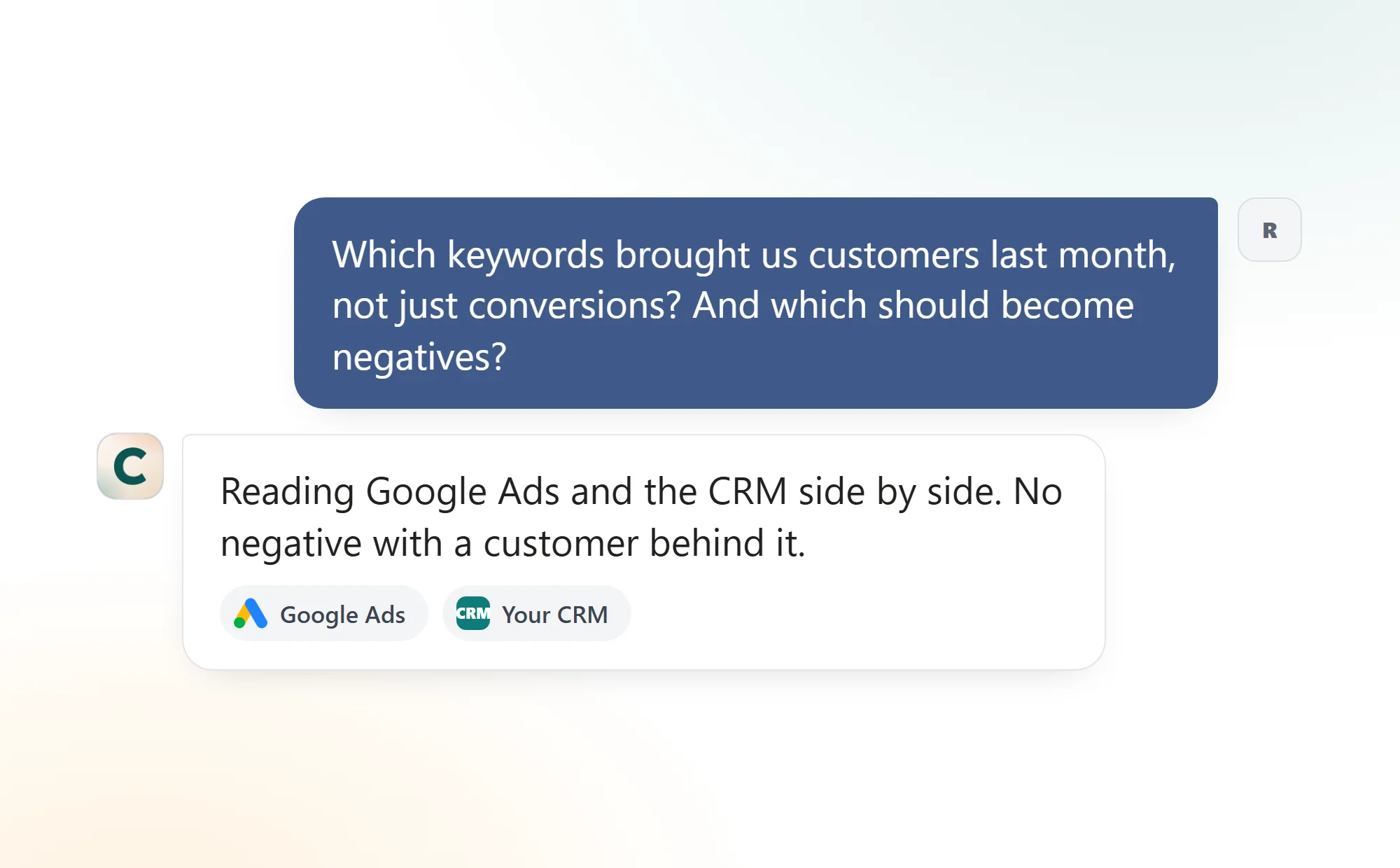
So I connected both to Cedric: Google Ads for the numbers, the CRM for who became a customer. The reading moved into the chat, and the interface matters a lot less.
The keyword review, before and after
Pull the keyword numbers
By handWait for the Ads table to load
With CedricAsk in the chat
Which conversions became customers
By handExport both, match by hand
With CedricHe reads the CRM beside Ads
Add a negative keyword
By handOn the Ads number alone
With CedricOnly when the CRM agrees
Next month
By handStart over
With CedricIt lands in the chat on the first
What comes back
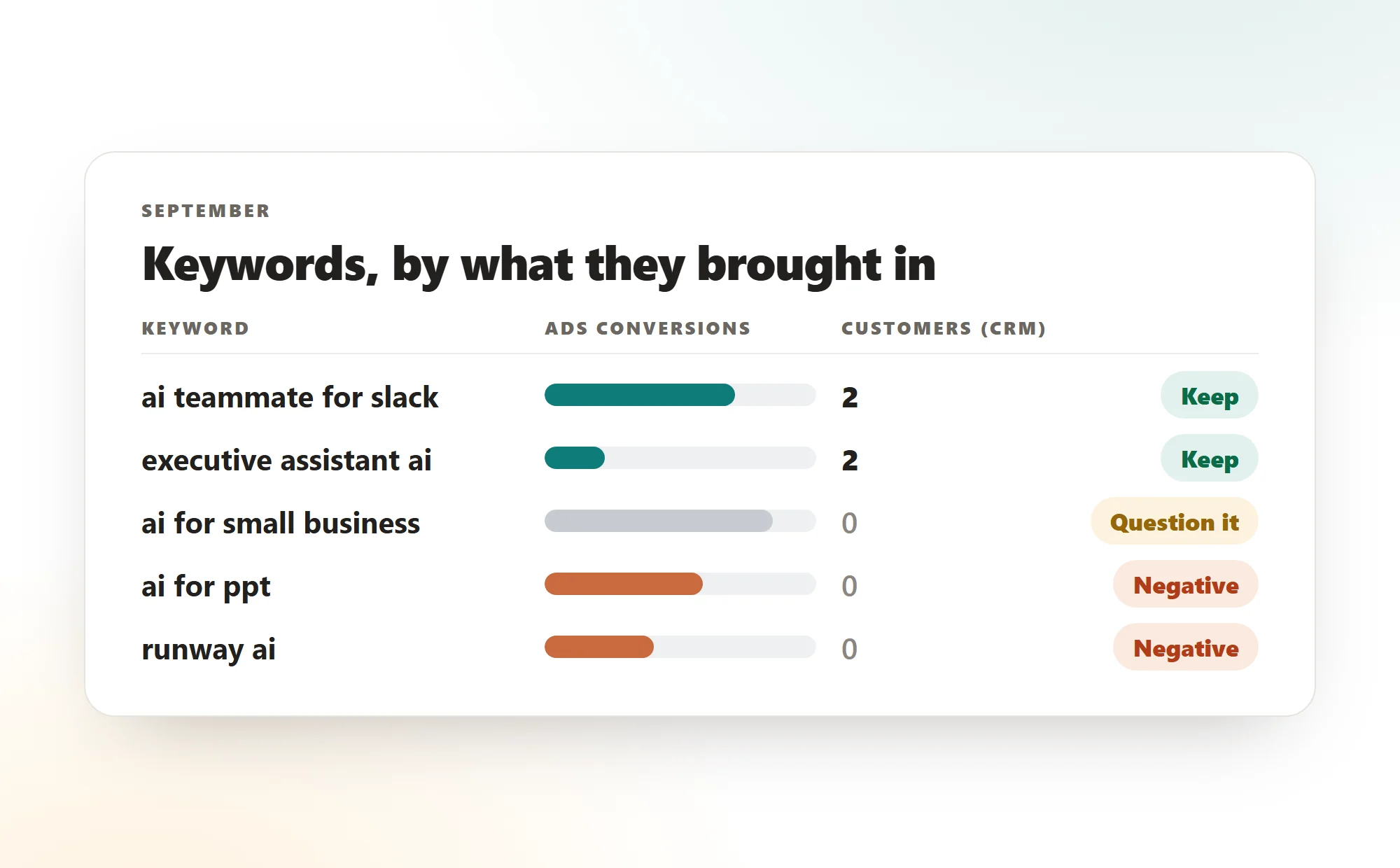
A short list. Each keyword with what it brought in, the Ads column and the CRM column side by side. The two rarely agree, and the gap is the point. A keyword with few Ads conversions and two real customers stays. A keyword with many conversions and nobody behind them is the one to question.
Broad match adds its own noise. Our campaigns picked up searches for a video tool, a slide tool and a coding tool, all "ai" something, none of them our buyer. Those show up with conversions in Ads and nothing in the CRM, which is exactly what a negative keyword is for.
The second source
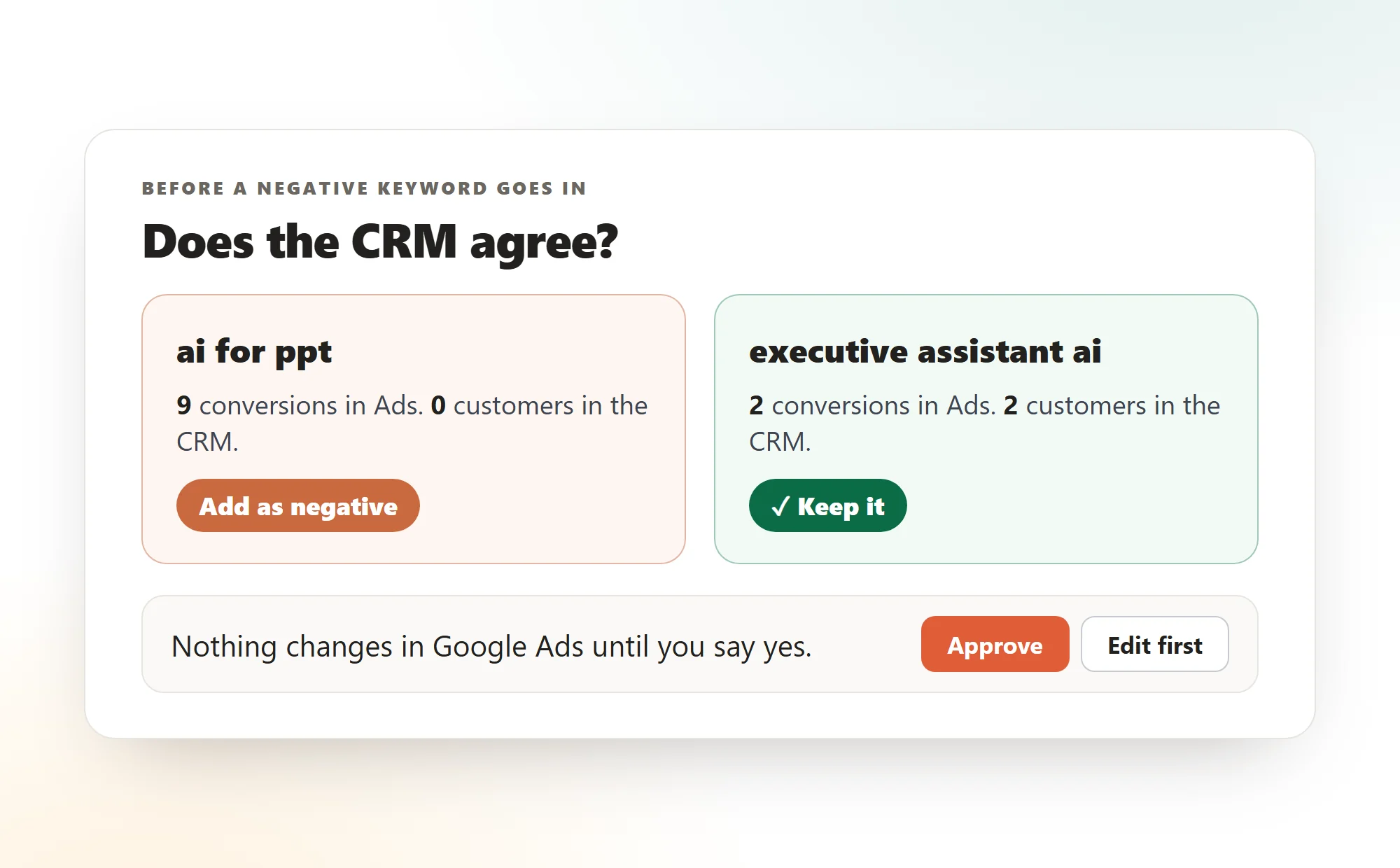
This is the rule I gave him, and it is the whole post. Never propose a negative keyword that has a customer behind it in the CRM. Ads attribution is a model. The CRM is a list of people who paid. When they disagree, the CRM wins.
It cuts the other way too. A keyword that Ads loves and the CRM has never heard of gets questioned, however good its numbers look.
Run your own
Three steps, once.
- 01
Connect Google Ads and your CRM
From the dashboard's integrations page. Read-only is enough for the review itself.
- 02
Give him the rule
"Never propose a negative keyword that has a customer behind it in the CRM." Said once, it holds.
- 03
Make it a schedule
"Every first of the month", or "every Monday at 8" if you change campaigns often. The list lands in the chat.
FAQ
Cedric reads the account, compares it with the CRM and proposes the change: a negative keyword, a budget move, a landing page fix. Anything that changes the account waits for your yes in the chat.
Ads counts conversions through an attribution model, data-driven by default, which spreads credit across the clicks it saw. The CRM records who actually became a customer. The two measure different things, so a keyword can look strong in one and empty in the other.
No. He proposes them with the reason, the Ads number and the CRM number side by side, and adds one only after you approve it.
HubSpot, Salesforce, Pipedrive, Attio and Close are the usual ones, and a spreadsheet works too if that is where your customers live.
Yes. Say "every first of the month" in the chat and the list lands there on the day. Pause or change it in one line.
Let the CRM have a say in your keywords
Connect Google Ads and your CRM, give him the rule, read the list on the first.
100K credits ($50) on sign up. No card needed.