Blog
The best AI note-takers, compared fairly
Granola, Fireflies, Otter, Gemini in Google Meet and Cedric side by side: what each is great at, what it costs, and which one turns the meeting into work.
 Benjamin Ben Hattar
There are many note-taker tools on the market. It is sometimes hard to choose, because most of them are fairly old by now and do not differ that much: a bot joins the call, a transcript appears, a summary follows. The differences are in the details, and the details are what this post is about.
Below are the ones we see most often, with a screenshot of each, what it is genuinely good at, and what it costs as of today. Cedric is in the list as a tool in his own right, and he also sits at the end of the others: Granola and the rest connect to Cedric, and their notes become the emails, tickets and CRM updates the meeting was about.
One note on fairness. We use several of these ourselves and like them. Where a tool lacks something Cedric has, it is said once and plainly; where a tool is the better choice, that is said too.
- Granola is the best notepad: no bot in the call, your own notes enhanced by the transcript, on Mac, Windows, iOS and Android.
- Fireflies is the most complete recorder: transcripts in 100+ languages, video, a free plan with unlimited transcription.
- Otter is the live transcript people know: OtterPilot joins Zoom, Meet and Teams and writes as people speak, 300 free minutes a month.
- Gemini in Google Meet is the zero-setup option if your company is on an eligible Google Workspace plan: notes land in a Google Doc.
- Cedric is the only one that turns the call into actions, each waiting for a yes, and the only one without a price per seat: your whole team reads the notes, free credits included.

Granola
The AI notepad for back-to-back meetings. granola.ai
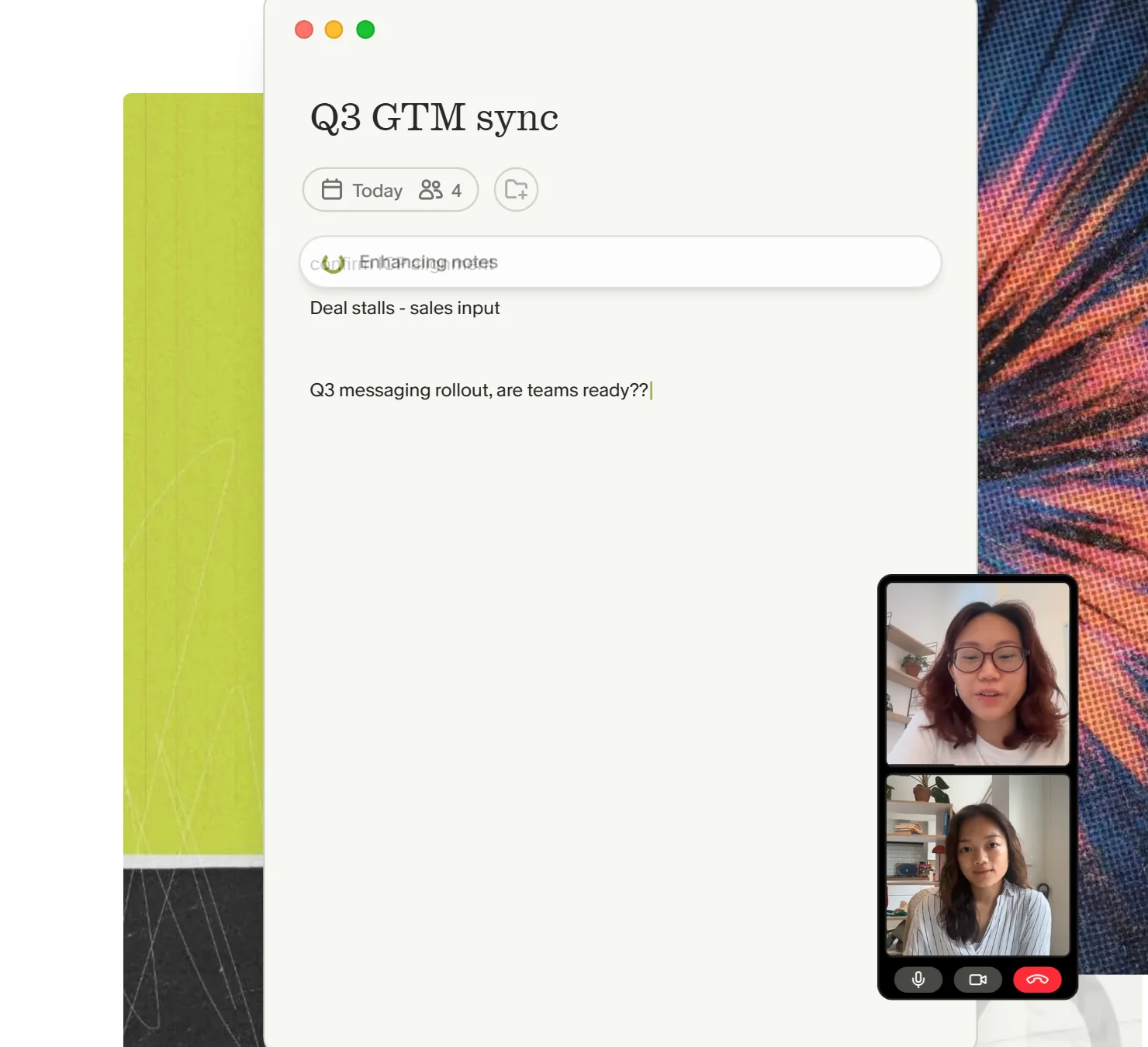
Granola's idea is simple and, once you have used it, hard to give up: there is no bot. It listens through your computer's audio, you type your own rough notes during the call, and when the call ends it turns them into clean notes using the transcript. Nobody on the other side sees a "Granola notetaker" join.
It works with Zoom, Google Meet, Teams and every other meeting app, on macOS, Windows, iOS and Android. After the call you can ask it to list actions, write the follow-up email or draft a plan, and Granola Chat answers questions across your meetings. Notes are private by default and easy to share.
Pros
- No bot joins the call. The most discreet option here.
- Your own notes plus the transcript, which beats a raw summary.
- Templates, chat across meetings, shared folders, MCP and API on Business.
- A free plan with AI notes and templates.
Cons
- Per user: $14 a month on Business, $35 on Enterprise. A team of ten pays for ten.
- It writes the follow-up email; sending it, updating the CRM or creating the ticket is still your job.
- The free plan keeps a limited meeting history.
Free plan; Business $14 per user per month; Enterprise $35 per user per month.
Checked on the tool's own site, September 15, 2026.

Fireflies
Records, transcribes and summarizes every meeting, with a bot named Fred. fireflies.ai
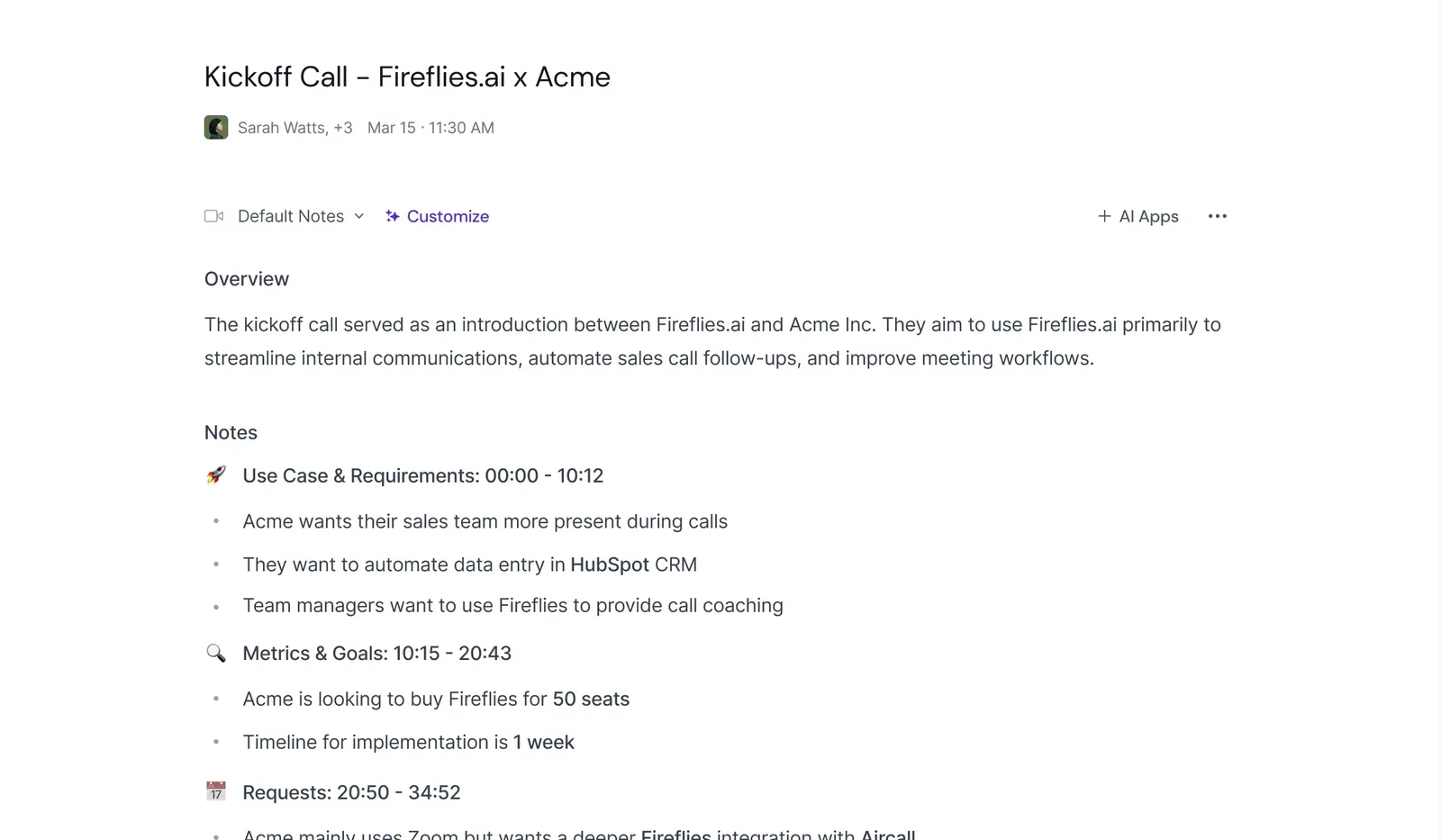
Fireflies is the most complete recorder in this list. Its bot joins Zoom, Google Meet and Microsoft Teams, and what comes out is a full transcript, an AI summary with overview, notes and action items per person, and on the paid plans a video recording. It transcribes in 100+ languages, which matters for teams that do not meet in English.
The free plan is unusually generous: unlimited transcription and unlimited AI summaries, with 400 minutes of storage per team as the limit. AskFred answers questions about a meeting, and "AI Apps" let you run custom prompts over every call, a budget-authority-need-timeline extractor for sales, say.
Pros
- Unlimited transcription and summaries on the free plan.
- 100+ languages, video recording, a big integration catalog.
- Action items per person, with a timestamp back to the moment.
- Custom AI apps over your meetings.
Cons
- Per seat: Pro $10, Business $19, Enterprise $39 per seat per month on annual billing ($18 and $29 monthly).
- A bot in every call, which some guests notice.
- Action items are listed, not done: the follow-up, the CRM and the tickets stay with you.
Free plan; Pro $10, Business $19, Enterprise $39 per seat per month billed annually.
Checked on the tool's own site, September 15, 2026.

Otter
The live transcript, in the meeting and on your phone. otter.ai
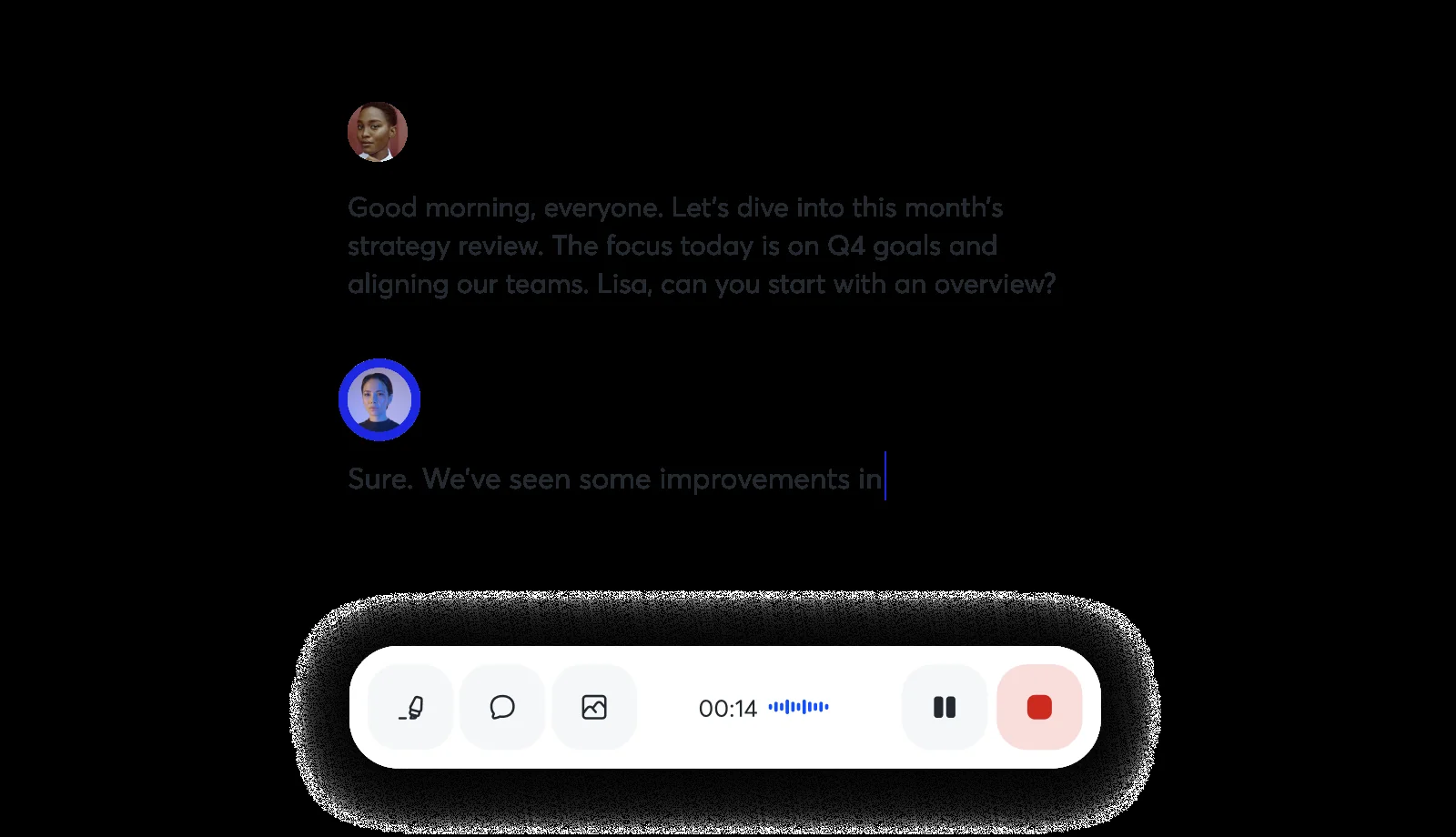
Otter has been transcribing meetings longer than most, and it shows in the live transcript: OtterPilot joins Zoom, Microsoft Teams and Google Meet and writes as people speak, with speaker identification. You can read along during the call, which is useful when you join late or the audio is bad, and the mobile app records in-person conversations too.
The free plan gives 300 transcription minutes a month. Pro adds 1,200 in-app recording minutes, meetings up to 90 minutes and the Salesforce, HubSpot and Zapier integrations; Business removes the meeting limits and adds custom AI workflows.
Pros
- The best live transcript here, with speakers named.
- Strong mobile app for in-person conversations.
- 300 free minutes a month, no card.
- CRM integrations from the Pro plan.
Cons
- Per user: Pro $8.33 a month billed annually ($16.99 monthly), Business $19.99 ($30 monthly).
- Free and Pro cap the length of a meeting (90 minutes on Pro).
- It summarizes and lists actions; it does not carry them out.
Free plan (300 minutes a month); Pro $8.33 and Business $19.99 per user per month billed annually.
Checked on the tool's own site, September 15, 2026.

Gemini in Google Meet
"Take notes for me", built into Google Meet. support.google.com/meet/answer/14754931
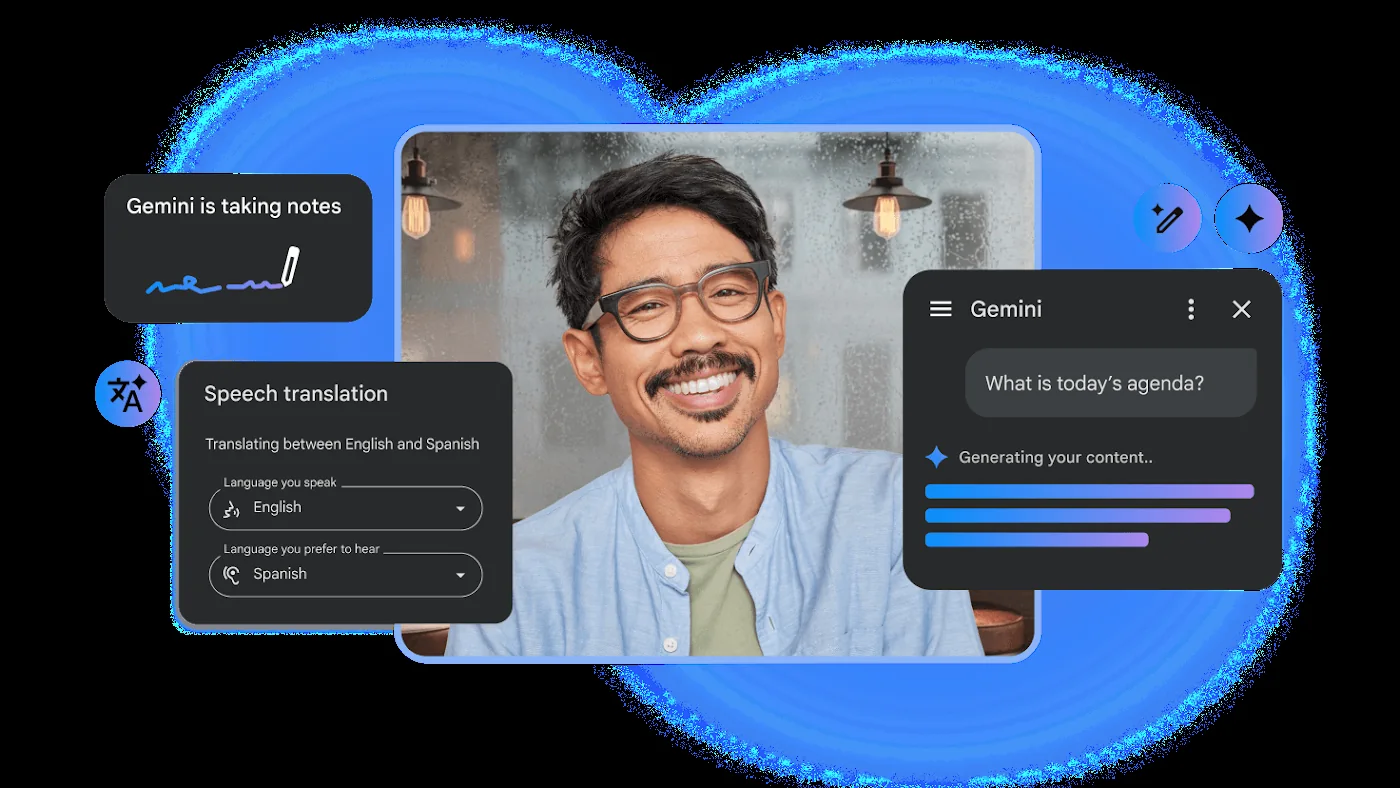
If your company runs on Google Workspace, this is the option with no setup at all. Click "Take notes for me" in a Meet call and Gemini writes a Google Doc with a summary, decisions, action items and the detailed discussion; someone joining late gets a "Summary so far". The doc is saved in the organizer's Drive, in a Google Meet folder.
The catch is eligibility: the meeting organizer needs a Workspace edition or Google AI plan that includes the feature. It supports eight languages, one per meeting, and Google recommends meetings between 15 minutes and 8 hours.
Pros
- Nothing to install and no bot: it is part of Meet.
- Notes land in a Google Doc, shared like any other.
- A "Summary so far" for people who join late.
- No extra product to pay for if your plan already includes it.
Cons
- Google Meet only. Nothing for Zoom or Teams calls.
- Needs an eligible Workspace edition or Google AI plan, paid per user like the rest of Workspace.
- One language per meeting. Action items are written down, not done.
Included in eligible Google Workspace editions and Google AI plans; otherwise not available.
Checked on the tool's own site, September 15, 2026.

Cedric
The AI teammate that joins the call and does the work that comes out of it. meet-cedric.com
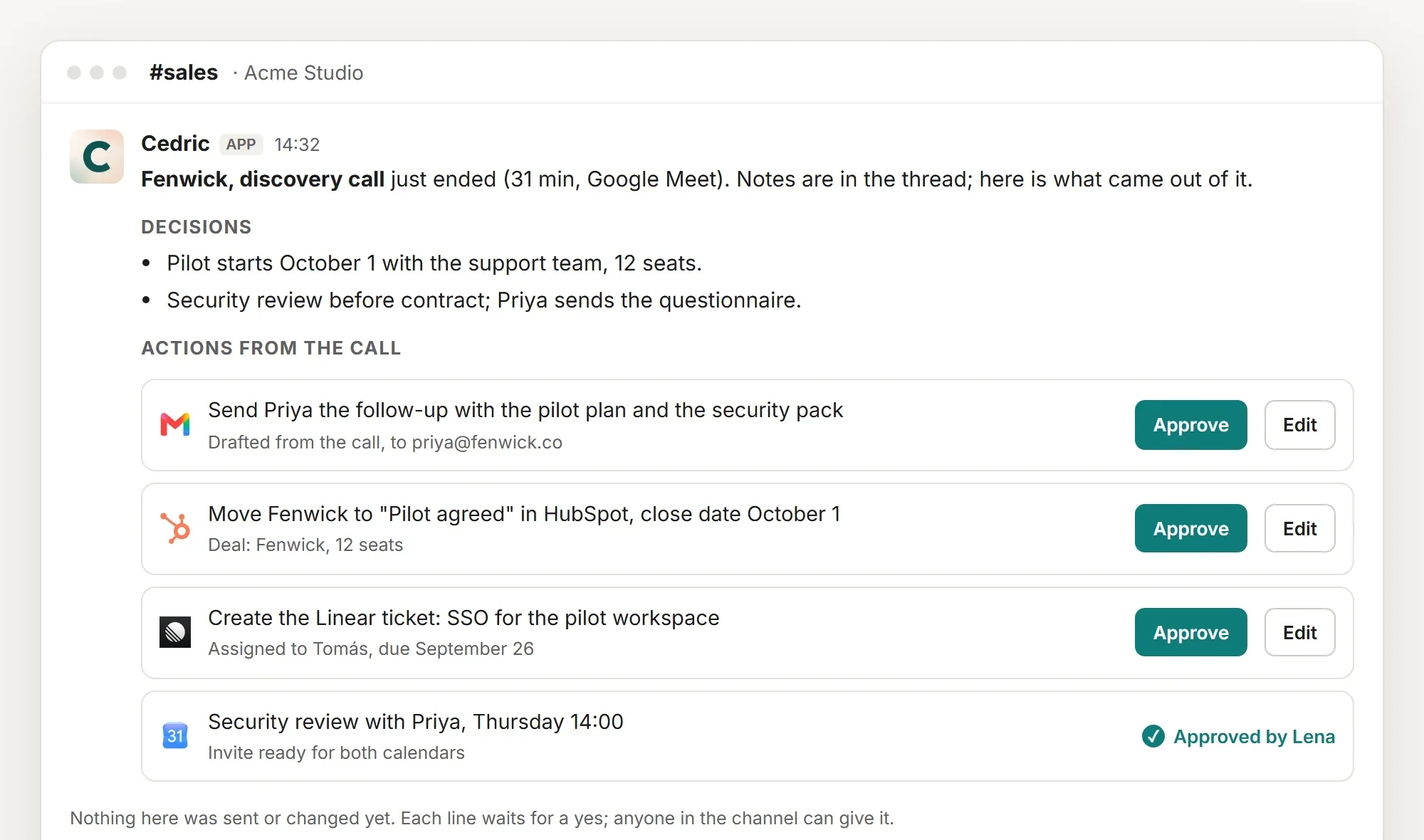
Cedric takes notes too: invite him by link or calendar invite, he joins Google Meet, Zoom or Microsoft Teams, answers when you say his name, and posts the summary to the channel when the call ends. The difference is what happens next. Every commitment made on the call becomes an action, drafted and waiting: the follow-up email to the customer, the deal moved in HubSpot, the ticket in Linear, the invite for the next call. Each one has an Approve button, and nothing is sent or changed until someone presses it.
That is the picture above, and it is why we do not show Cedric inside the call. The call is the easy part. The notes are the same shared memory the rest of the team already uses in Slack, so the person who was not in the room gets the outcome next to the conversation it came from.
There is no price per seat. One Cedric belongs to the workspace, everyone in the team can read the notes and approve the actions, and a workspace starts with 100,000 free credits, about $50 of work, no card. Plans start at $19 a month for the whole team.
And if you already love your notepad, keep it. Granola connects to Cedric directly: Cedric reads its notes and transcripts and turns them into the same actions. Other note-takers connect through the catalog of 3,200 apps on the Integrations page.
Pros
- Actions taken from the call, each held for a yes: email, CRM, tickets, calendar.
- Free tier, no seats. The whole team can do this.
- One memory with the rest of Cedric: the notes know your customers, your tools, your rules.
- Works with Granola and other note-takers, not only instead of them.
Plans from $19 a month for the whole team, no seats.
Side by side
The same five, on the questions that decide it.
| Granola | Fireflies | Otter | Gemini in Meet | Cedric | |
|---|---|---|---|---|---|
| Joins the call as a bot | No (device audio) | Yes | Yes | No (built in) | Yes, visibly |
| Meeting apps | Any | Zoom, Meet, Teams | Zoom, Meet, Teams | Meet only | Meet, Zoom, Teams |
| Live transcript in the call | No | Yes | Yes, the best | Summary so far | Answers by name |
| Actions carried out after the call | Listed, drafted | Listed | Listed | Listed | Done, after a yes |
| Notes shared with the team | Shared folders | Team workspace | Team workspace | Google Doc | The channel, everyone |
| Pricing model | Per user | Per seat | Per user | Per Workspace user | Per workspace, no seats |
| Free tier | Free plan | Free plan | 300 min a month | If your plan includes it | 100,000 credits |
Read on each tool's own site on September 15, 2026.
How to choose
If you want the best notes and no bot, pick Granola. If you want everything recorded, in any language, on a free plan, pick Fireflies. If the live transcript is the point, pick Otter. If you are on Google Workspace and want zero setup, use Gemini in Meet.
If what you actually want is for the meeting to turn into work, and for the whole team to see it without paying per seat, that is Cedric. And since Granola and the others connect to him, you do not have to choose only one.
FAQ
Yes. Connect Granola on Cedric's Integrations page and Cedric reads its notes and transcripts. Ask "what did we commit to on the Fenwick call?" in Slack and the actions come out the same way.
No. He takes notes, answers by name, and posts the summary and the actions. If you need the recording, Fireflies is the one for that.
One Cedric per workspace, shared by everyone in it. A team of two or twenty pays the same plan; usage is metered in credits, and the first 100,000 are free.
Free credits available, no card, no seats.