Blog
How to connect two email addresses to Claude
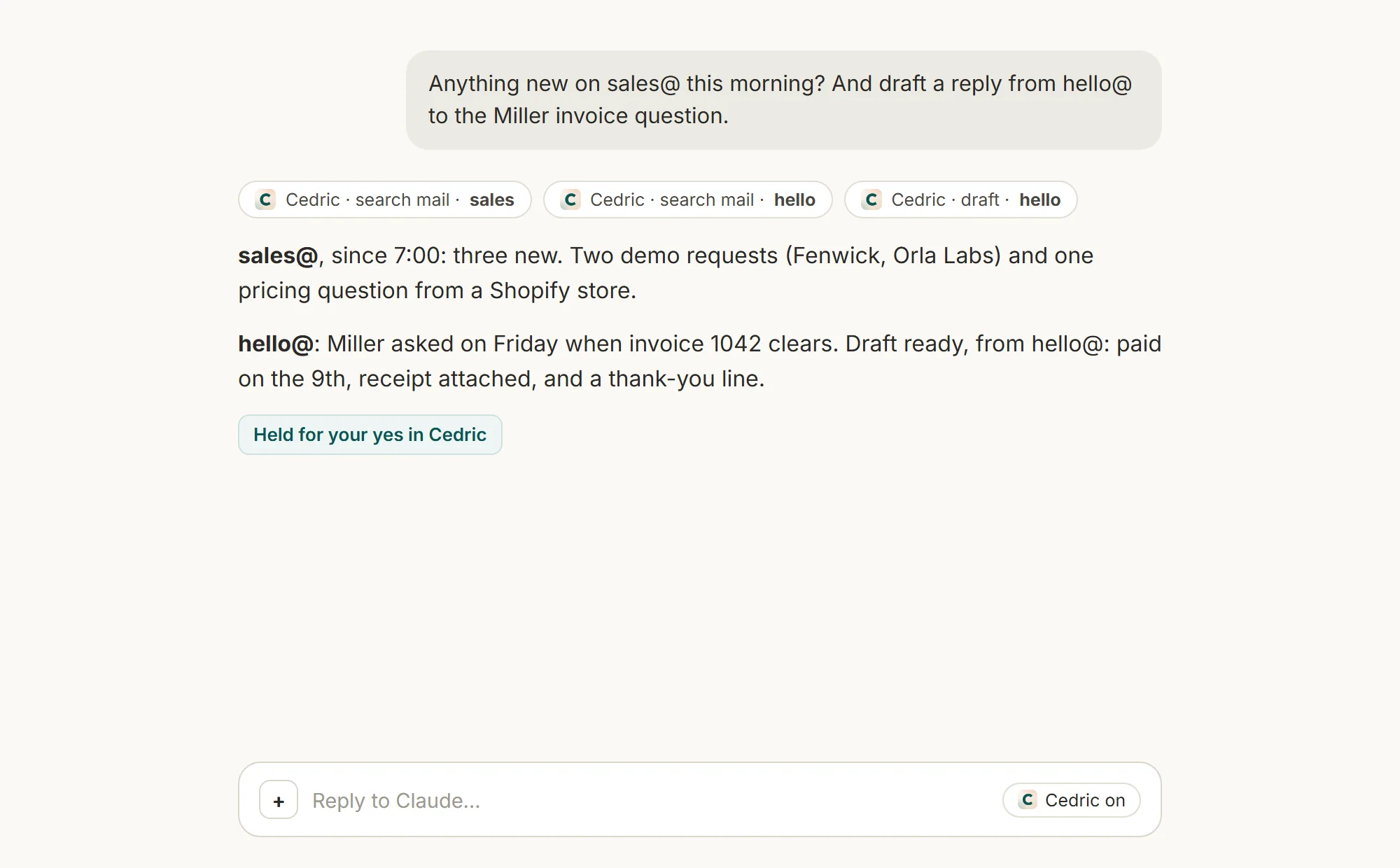
Claude's Gmail connector holds one Google account. Add Cedric as a custom connector instead and every inbox you give Cedric is there in Claude, by name.
 Benjamin Ben Hattar
Claude reaches Gmail through its Google connector, and that connector holds one Google account. Connect a second one and it replaces the first. If you answer from sales@ and from your own address, you are disconnecting and reconnecting all day.
The fix is Cedric. He holds as many inboxes as you give him, each with its own name, and Claude can use him as a custom connector. Three steps, about five minutes.
It is basically free. A Cedric workspace starts with 100,000 credits (about $50 of work) and no card. And through MCP the cost stays very low: Claude does the thinking, Cedric only runs the tool calls.
- 01
Create a Cedric account
Continue with Slack, Discord or Telegram, or with Google if it is just for you. No card.
- 02
Connect your inboxes
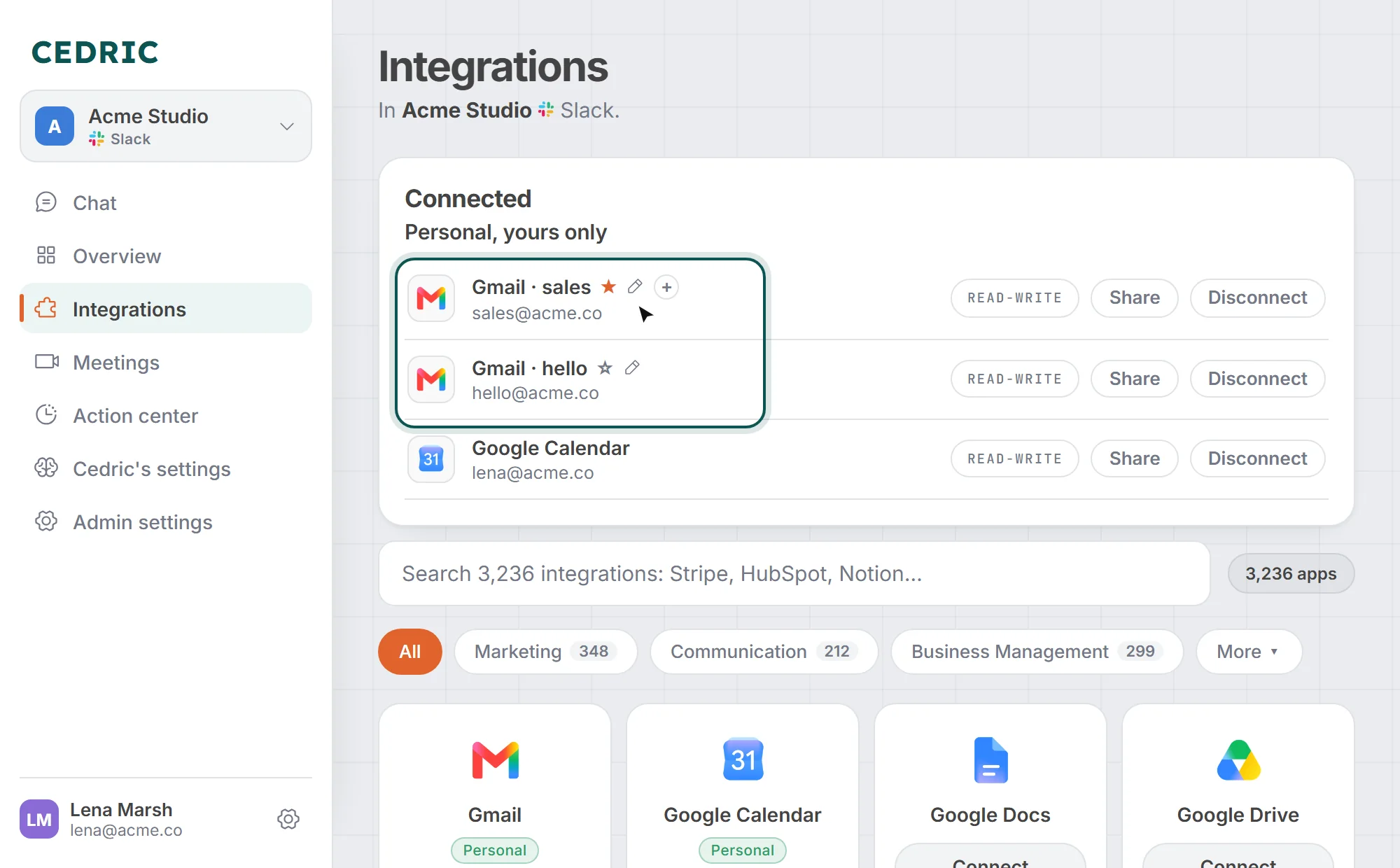
Open Integrations, find Gmail, click Connect and sign in with Google. Do it again for the second address: the card now says Add another. Each inbox shows up under Connected with a name taken from its address, sales and hello here. Rename it to whatever you want with the pencil. The star marks the one an unnamed ask uses.
- 03
Plug Cedric into Claude
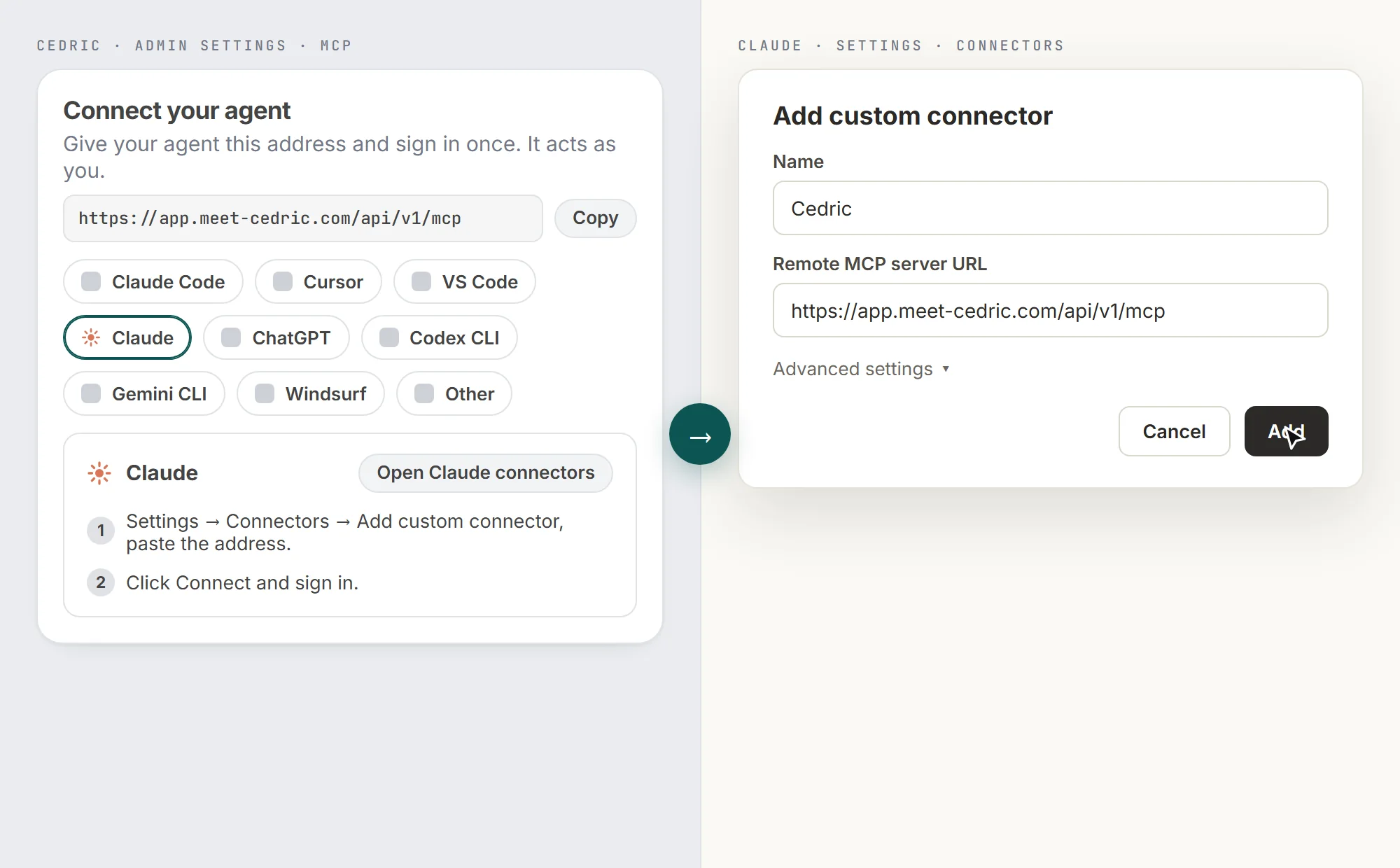
In Cedric, open Admin settings, then MCP, and copy the address. In Claude, open Settings, then Connectors, click Add custom connector, paste the address and click Add. Click Connect, sign in to Cedric, allow. Done.
FAQ
Yes. The desktop app shares the same Connectors settings as the browser. Add Cedric once and he is there in both.
As many as you like. Every one is a row of its own under Connected, with a name. Say the name when you ask and Cedric uses that account.
Only if you connected them as Team. A private connection is yours alone, and stays private when Claude reaches it through your sign-in. The AI email assistant page shows a team sharing sales@ from Slack.
Free to start, no card.