Blog
Fyxer vs Superhuman vs Cedric: a tidier inbox, a faster inbox, or less inbox work
Fyxer sorts your inbox and drafts replies in your voice. Superhuman makes you faster at email. Cedric does the work the email creates, from Slack, and asks before he sends.
 Benjamin Ben Hattar
Fyxer and Superhuman both put AI on your email, and people compare them because the price is close and the promise sounds the same. It is not the same. One tidies the inbox for you. The other makes you quicker inside it.
Cedric is a third answer to a slightly different question. Most email is a request for work: update the deal, send the contract, book the call, chase the invoice. Cedric reads the mail and does that work, from the chat app your team already uses.
Every fact about Fyxer and Superhuman below was read on their own sites on September 17, 2026. Both are good products, and the post says where each is the better buy.
- Fyxer works inside Gmail and Outlook: it sorts the inbox into categories, drafts replies in your voice, and its notetaker joins your meetings.
- Superhuman Mail is a keyboard-first email app that replaces the Gmail or Outlook window, and it now comes in a suite with Go, Docs and Grammarly.
- Both are priced per person. Fyxer starts at $30 a user a month, and Superhuman's Business plan, the one that includes Mail, is €33 a member a month billed annually.
- Cedric is not an email client. He reads your mail as one of many tools, does the work a message asks for, and holds every send for a yes.
- If the person who needs help is you, at your inbox, buy Fyxer or Superhuman. If the work behind the email needs doing, that is Cedric's job.

Fyxer
An assistant that organizes your inbox and drafts your replies. fyxer.com
Fyxer's appeal is that you change nothing. You keep Gmail or Outlook, and Fyxer works inside it. It sorts incoming mail into categories so the messages that need you sit at the top, and it writes draft replies in your voice that wait in the thread for you to check and send.
A notetaker joins your meetings and writes them up. On the Professional plan it handles scheduling across teams and time zones, adds a chat for questions about your mail, connects HubSpot, and lets you upload files so it learns how you write.
Pros
- Nothing new to learn. It lives in the inbox you already use.
- Drafts in your voice, left for you to send.
- Works with both Gmail and Outlook.
- A meeting notetaker is included from the first plan.
Cons
- Per user: $30 a month on Starter, $50 on Professional. A team of ten pays for ten.
- Starter covers one inbox and one calendar. Multiple inboxes need Professional.
- It drafts the reply. Updating the CRM or sending the contract the email asked for is still your job.
Starter $30 per user per month ($22.50 billed annually). Professional $50 ($37.50 billed annually). Enterprise from 50 users, on request.
Checked on the tool's own site, September 17, 2026.

Superhuman
The email app built for speed, now part of a wider AI suite. superhuman.com
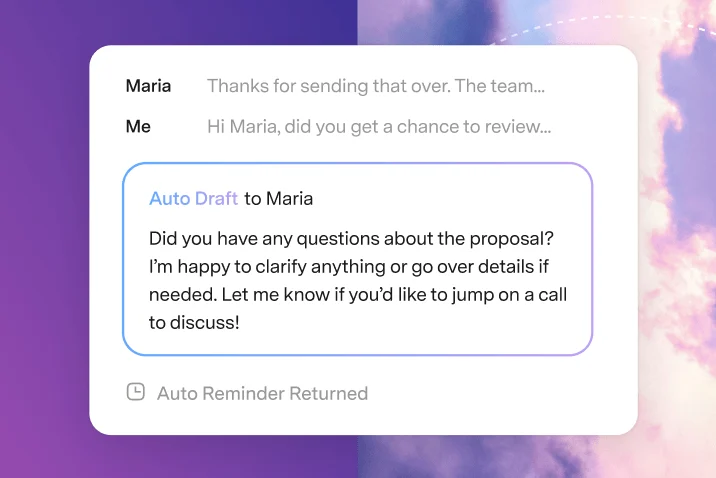
Superhuman Mail is for people who live in email and want to get through it faster than anywhere else. It replaces the Gmail or Outlook window with a keyboard-first client: split inboxes, shortcuts for everything, reminders when nobody answers, and drafts written for you before you open the thread.
It is now one product in a suite. Go is an assistant that works across your apps, Docs is a shared workspace, and Grammarly is part of the plan. The free and Pro plans include Go, Docs and Grammarly. Mail is part of the Business plan.
Pros
- The fastest way through a full inbox. Few tools are this polished.
- Auto drafts and follow-up reminders inside the client.
- A free plan for Go, Docs and Grammarly.
- Connects to HubSpot, Salesforce and Pipedrive.
Cons
- Per member: Mail comes with Business, €33 a month billed annually (€40 monthly).
- You switch email clients, which is a bigger change than an add-on.
- It makes one person faster. The work the email asked for still waits for that person.
Free plan. Pro €12 per member per month billed annually (€15 monthly). Business, with Mail, €33 (€40 monthly). Enterprise on request.
Checked on the tool's own site, September 17, 2026.

Cedric
The AI teammate that does the work your email creates. meet-cedric.com
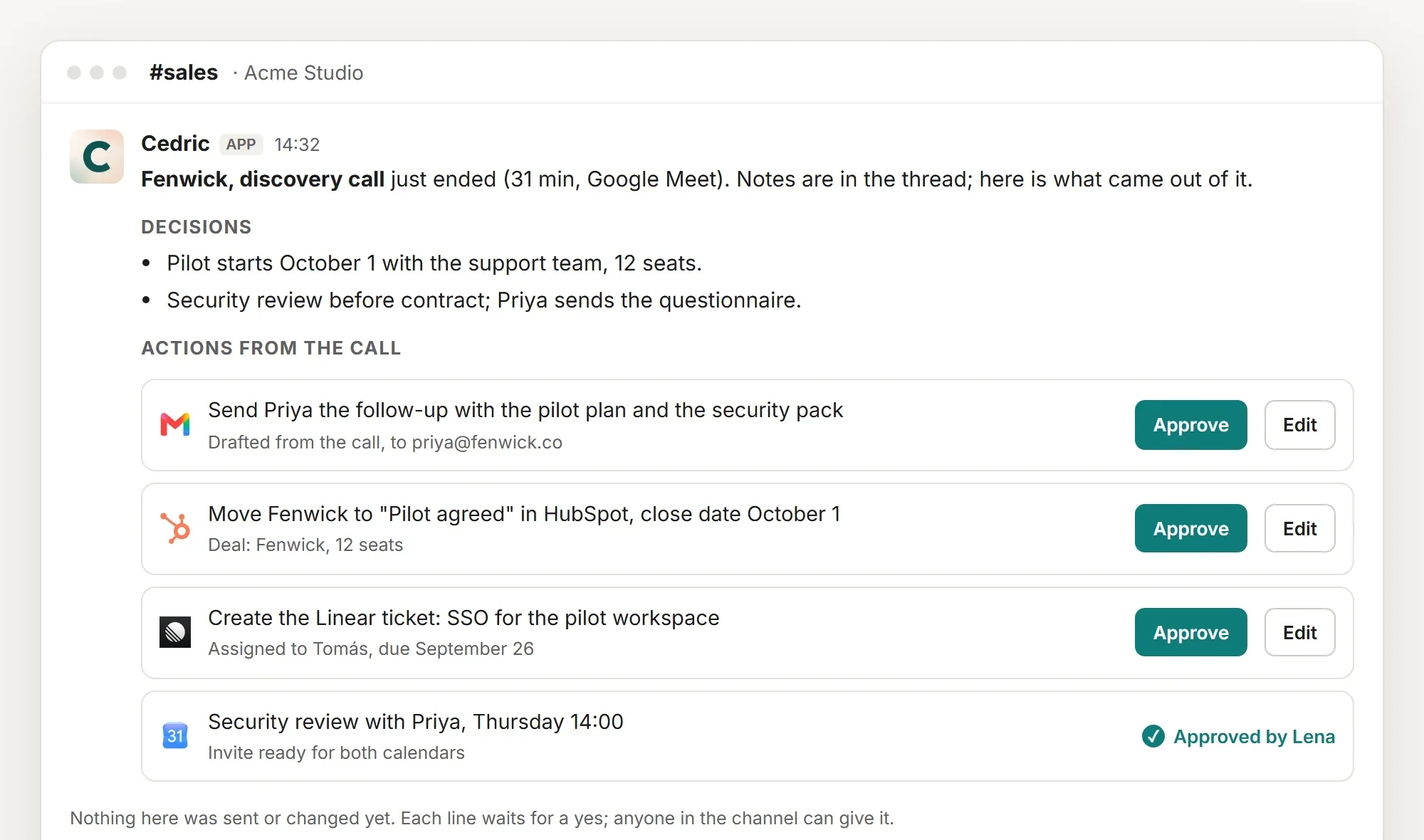
Cedric does not change how your inbox looks. He lives in Slack, Telegram, Discord or the browser, and email is one of the tools he reaches, along with the calendar, the CRM and the documents. You ask "what came in overnight that needs me?" and he answers with the three messages that matter and a draft for each.
Then he keeps going. If the customer asked for a call, the invite is drafted. If the deal moved, the CRM update is ready. Every send and every change waits for an Approve, which is the one rule that makes it safe to let an AI near your outbox. We wrote about that rule in One rule lets an AI send email for you.
He belongs to the team, not to one person. Connect a shared address such as sales@ next to your own, and whoever is in the channel can ask about it. There is no price per seat: a workspace starts with 100,000 free credits, about $50 of work, no card, and plans start at $19 a month for everyone.
Pros
- Does the work behind the email: the CRM, the invite, the ticket, the reply.
- Every send held for a yes.
- One teammate for the whole team, with shared addresses.
- No seats, free credits to start.
Worth knowing
- He is not an email client. You keep Gmail or Outlook, and Fyxer or Superhuman can sit on top of it.
- You talk to him in chat, so the habit to build is asking, not opening a new inbox view.
Plans from $19 a month for the whole team, no seats. 100,000 free credits to start.
Side by side
The same three, on the questions that decide it.
| Fyxer | Superhuman | Cedric | |
|---|---|---|---|
| What it is | An assistant inside your inbox | An email app, in a suite | A teammate in your chat app |
| Where you use it | Gmail or Outlook | Its own client | Slack, Telegram, Discord, browser |
| Drafts replies | Yes, in your voice | Yes, auto drafts | Yes, held for approval |
| Sorts the inbox | Yes, categories | Yes, split inbox | Tells you what needs you |
| Work after the email | Scheduling, HubSpot on Professional | CRM links in the client | Done: CRM, calendar, tickets, after a yes |
| Pricing model | Per user | Per member | Per workspace, no seats |
| Free to start | Free trial | Free plan without Mail | 100,000 credits |
Read on each tool's own site on September 17, 2026. Superhuman's prices were shown in euros.
How to choose
If your inbox is a mess and you want it sorted without changing a thing, pick Fyxer. If you answer two hundred emails a day and want to do it in half the time, pick Superhuman. Both make a person better at email, and for many people that is the whole problem.
If the emails are fine and the trouble is everything they set in motion, a faster inbox will not help. That is where Cedric fits, and he works next to either of the other two. They handle the window you read mail in. Cedric handles what the mail asked for.
FAQ
Yes. They work in your inbox, Cedric works in your chat app, and both read the same mailbox. Nothing conflicts.
No. He drafts, and every send waits for someone to approve it. The same rule covers calendar changes and CRM updates.
Yes. Connect the shared address next to your own and anyone in the channel can ask about it. How to connect two email addresses walks through it.
Fyxer and Superhuman are priced per person, so ten people pay ten times the plan. Cedric is priced per workspace, from $19 a month however many people use him, metered in credits.
Free credits available, no card, no seats.