The decision stays in one head
Someone remembers what was agreed. A week later two people remember it differently.
Paste a Teams meeting link and Cedric joins the call as a guest. He writes the summary, the decisions and the action items, and emails the notes to everyone on the invite.
Works in


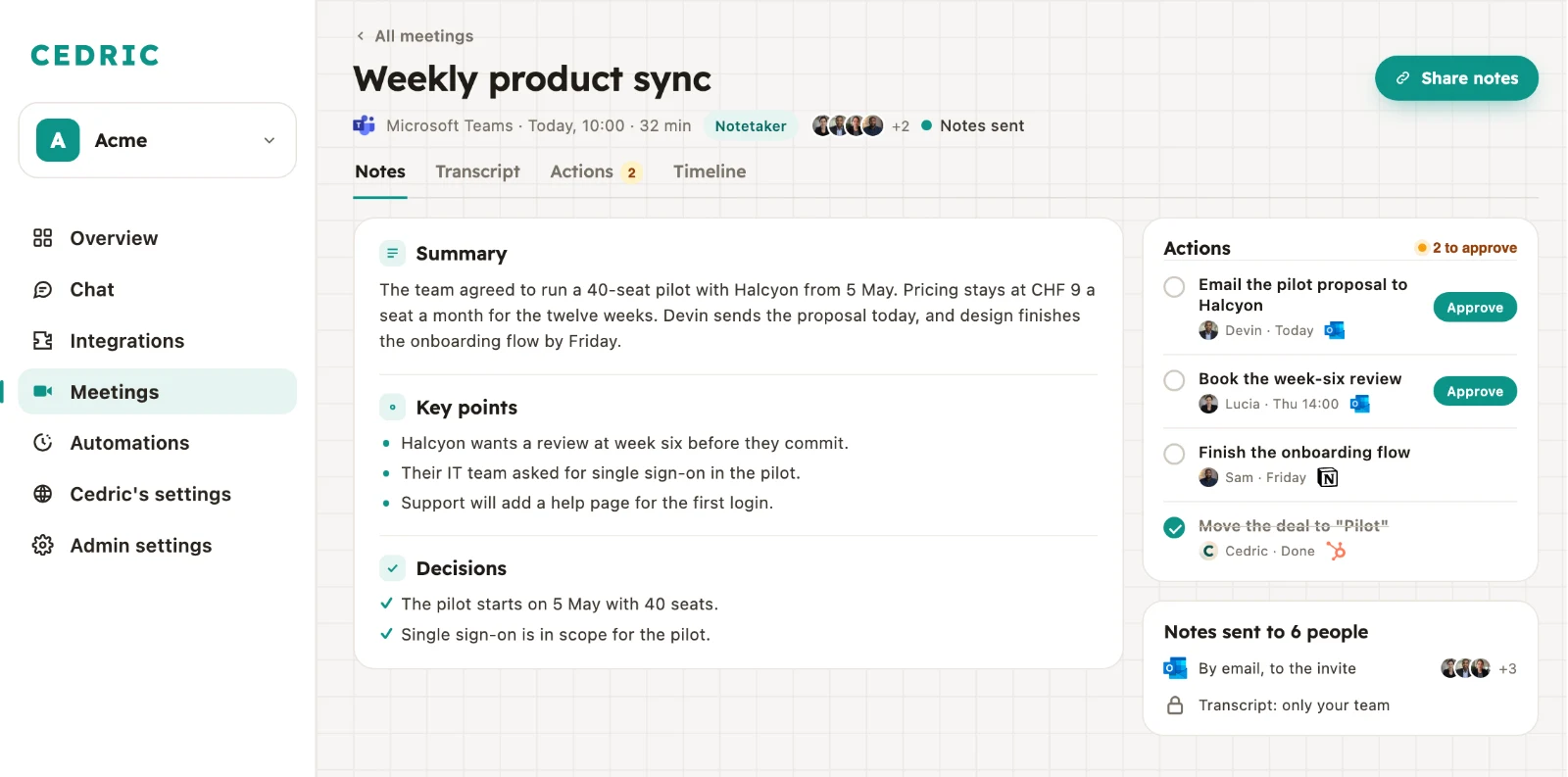
 A Teams call, written up by Cedric: what was decided, and who does what next.
The call ends, everyone opens the next meeting, and the follow-up depends on who wrote what down.
Someone remembers what was agreed. A week later two people remember it differently.
"Let's send them the proposal" is said out loud, and nobody writes down who sends it, or by when.
People who weren't on the call ask for a recap, and the person who ran it writes one at six in the evening.
Copy the join link from the Teams invite, and Cedric does the rest.
Sign up for free, no card needed. Meetings is in the left menu of Cedric's dashboard.
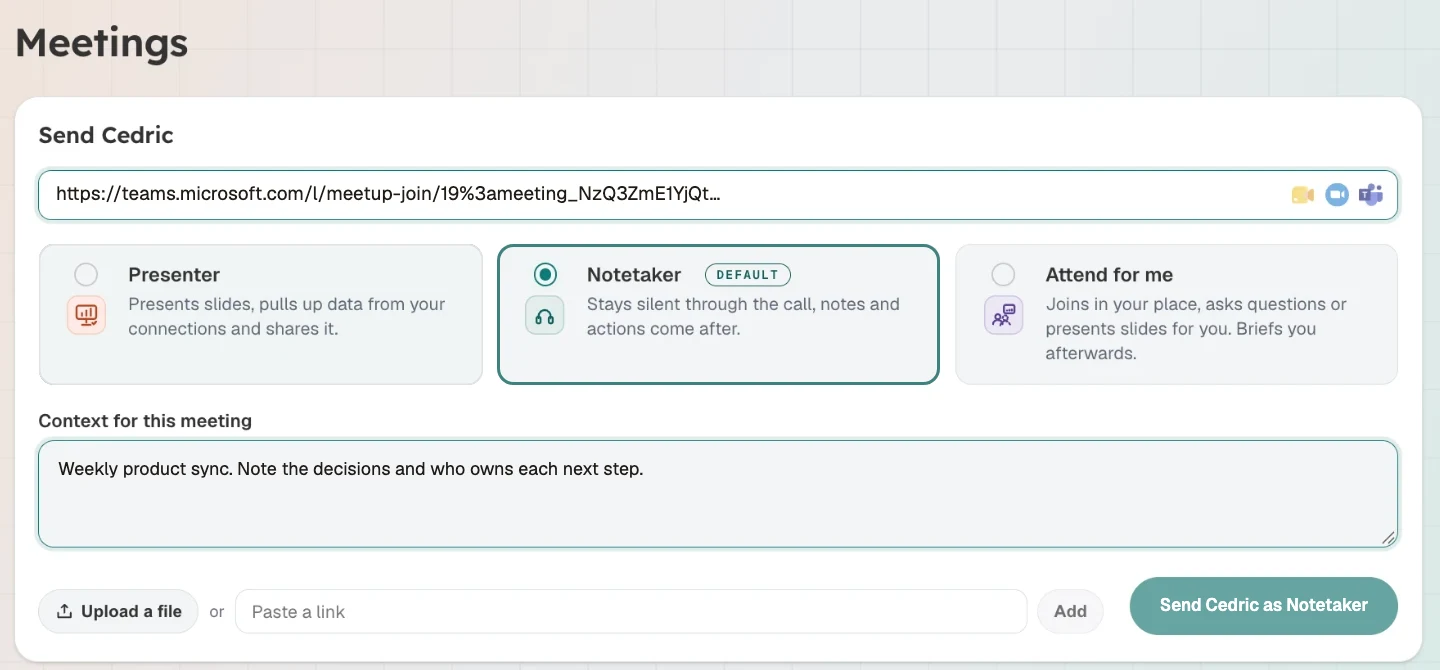
Copy the join link from the Teams invite and paste it into Send Cedric. Notetaker is the default. Add a line about the meeting if you like, then press Send Cedric as Notetaker.
Cedric joins as a named guest. If your meeting has a lobby, let him in from it. As Notetaker he stays silent for the whole call.
The meeting's page in Cedric holds the summary, the decisions, the actions and the full transcript. The notes go by email to everyone on the invite.
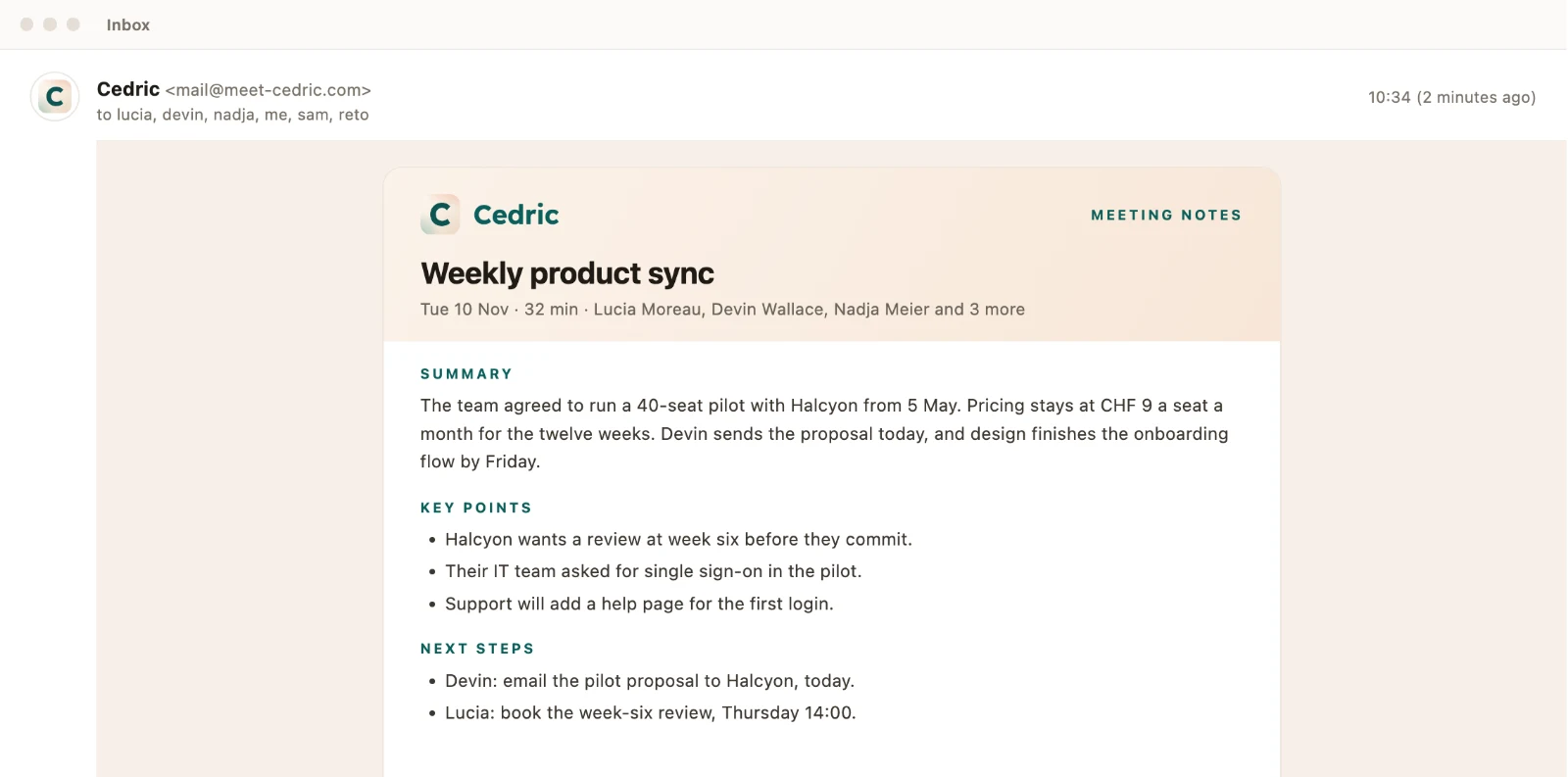
When the call ends, Cedric emails the notes to the people on the invite and to your workspace. Nobody has to write the recap.
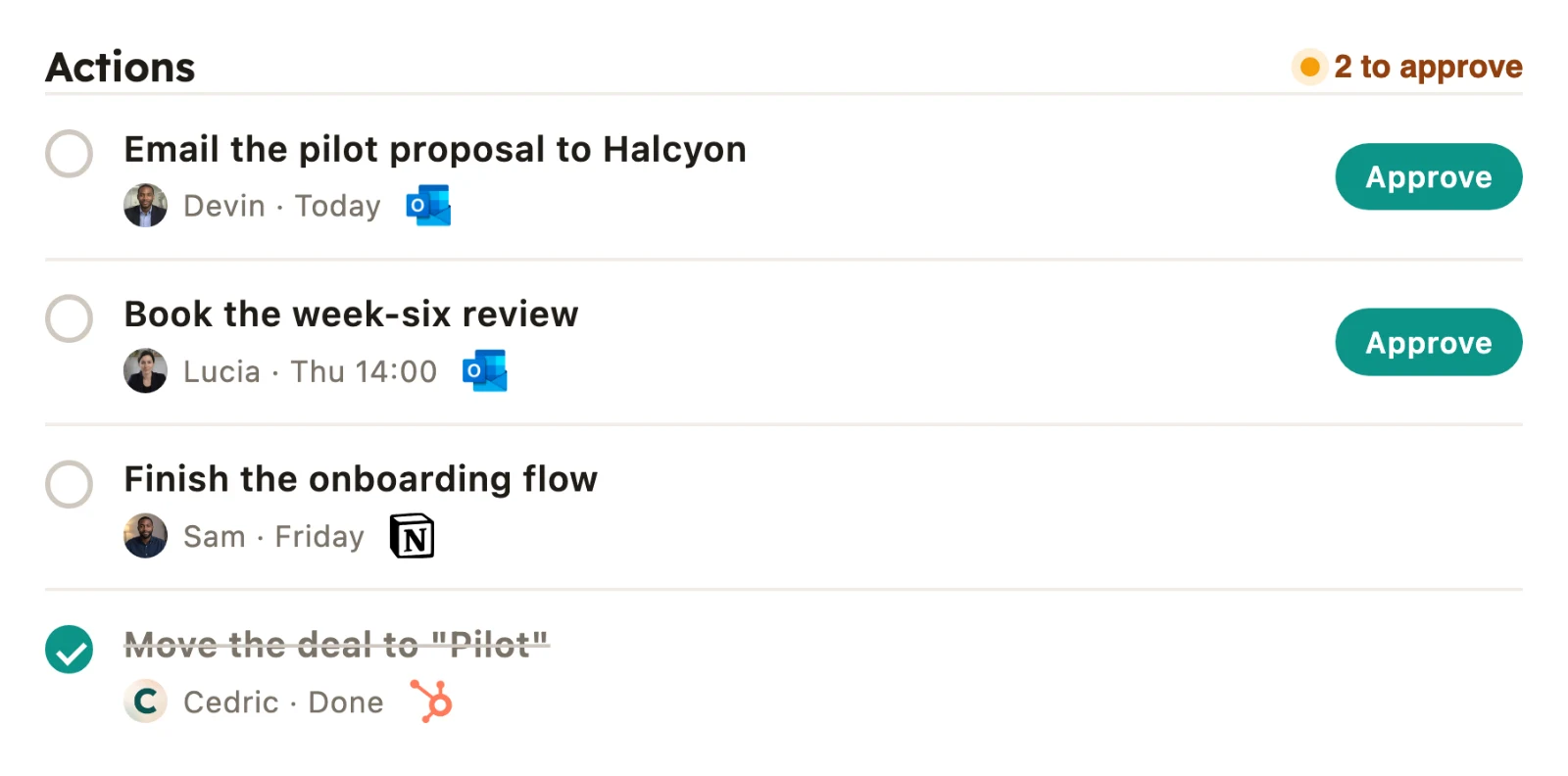
Cedric turns what the call agreed into work: the follow-up email, the review on the calendar, the deal moved in the CRM. Each one waits on the meeting's page until you approve it.
Invite Cedric's email address to a Teams meeting and he arrives on time. Connect your Google Calendar and you can pick which calls he joins without being asked.
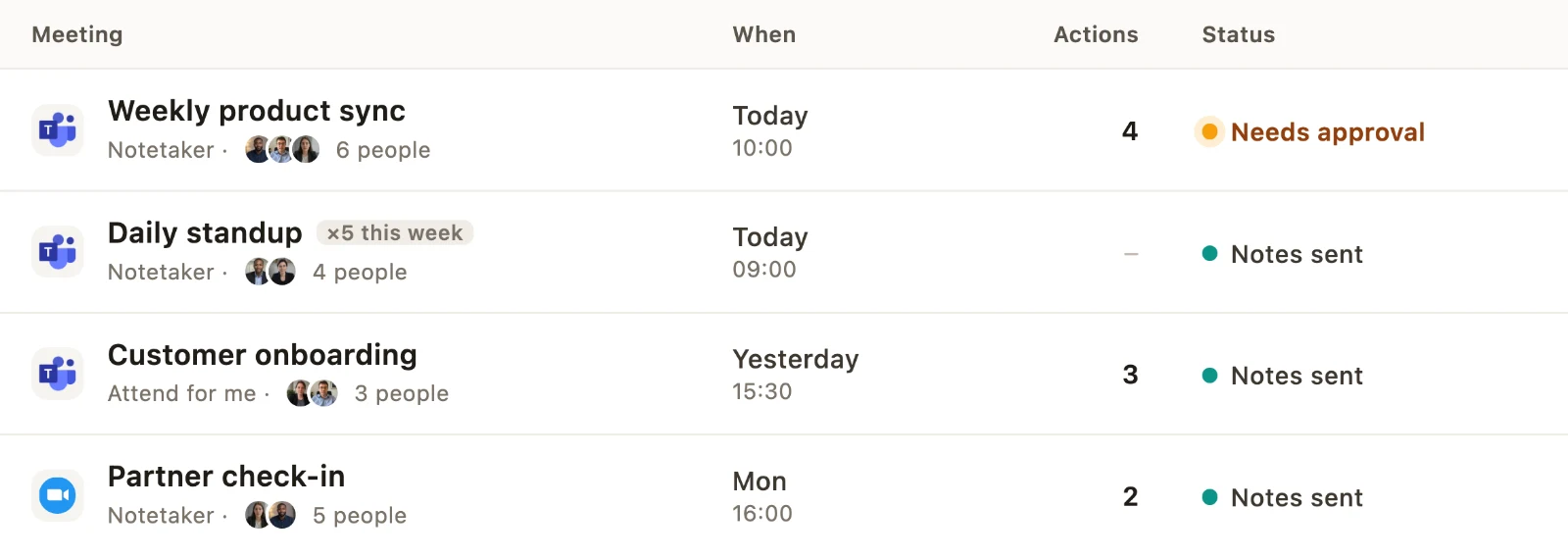
Pick Attend for me and Cedric goes in your place. He writes a brief from what your workspace knows and shows it to you before he joins. In the call he asks your questions and doesn't commit you to anything. If you turn up after all, he hands over in the meeting chat and posts you a catch-up.
Open Meetings in Cedric, paste the meeting's Teams join link into Send Cedric, keep Notetaker and press send. Cedric joins the call as a guest. You can also invite his email address to the meeting and he arrives on time.
No. There is no add-in to install. Cedric joins through the meeting link, the way a guest does. If your organisation doesn't let guests join Teams meetings by link, an admin has to allow it first.
Yes. Invite his email address to a meeting and he joins it. With your Google Calendar connected, the Meetings page also lets you pick the calls he joins on his own: all of them, external ones, internal ones or recurring ones. He only joins calls you accepted, and one click keeps him out of any single one.
The people on the invite and the members of your workspace, by email. Cedric never sends them to a name someone typed in the meeting.
Not as Notetaker. He stays silent through the call and the notes come after. If you want him to take part, pick Attend for me and he goes in your place, asks your questions and briefs you afterwards.
On the meeting's page in Cedric's dashboard, next to the notes and the actions. You can ask Cedric about any past call later. When you share the notes by link, the transcript stays with your team.
Yes. Send Cedric takes a Google Meet, Zoom or Microsoft Teams link, and every call he joins lands in the same list.
You start for free, with no card. Meetings use credits by the minute from the same balance as everything else Cedric does. Paid plans start at $19 a month for the whole workspace, with no per-seat price.